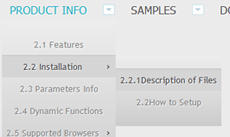
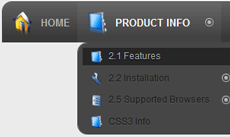
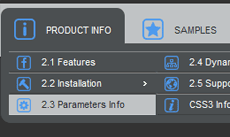
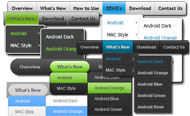
Drop Down Menu Sample
Overview
CSS3 is changing how we build websites. Even though many of us are still reluctant to start using CSS3 due to the lack of support in some browsers, there are those out there that are moving forward and doing some amazing stuff with its cool new features. No longer will we have to rely on so much JavaScript and images to create nice looking website elements such as buttons and menu navigations.
You can build a cool rounded navigation menu, with no images and no Javascript, and effectively make use of the new CSS3 properties border-radius and animation. This menu works perfectly well with Firefox, Opera, Chrome and Safari. The dropdown also works on non-CSS3 compitable browsers such as IE7+, but the rounded corners and shadow will not be rendered. CSS3 transitions could one day replace all the fancy jQuery animation tricks people use.
How to use

1) Open Drop Down Menu software and click "Add item"
and "Add submenu"
buttons situated on the Drop Down Menu Toolbar to create your menu. You can also use "Delete item"
to delete some buttons.
2) Use ready to use Templates. To do it just select theme you like in the "Templates" list. Double-click the theme you like to apply it.

3) Adjust appearance of the menu.
3.1. Select item by clicking it and change button appearance for normal and hover states and set buttons link properties and link target attributes on the "Main menu" tab.
3.2. Select submenu's item by clicking it and change submenu's appearance for normal and hover states and set submenu's item link properties and link target attributes on the "Submenu" tab.

4) Save your menu.
4.1. Save your project file. To save project just click "Save"
button on the Toolbar or select "Save" or "Save As
" in the Main menu.
4.2. Publish your menu in the HTML format. To do it click "Publish"
button on the Toolbar.
Free Download
CSS3Menu is free for non-commercial use. If you want to use CSS3Menu on a school site, your non-commercial blog or non-profit organisation website, just download CSS3Menu and use it for free.
A license fee is required for commercial use. CSS3Menu Commercial Edition additionally provides an option to create multicolumn menus and includes extended sets of menu templates and icons. After you complete the payment via the secure form, you will receive a license key instantly by email that turns the CSS3Menu Free Edition into a Commercial one. You can select the most suitable payment method: credit card, bank transfer, check, PayPal etc.
Support
For troubleshooting, feature requests, and general help, contact Customer Support at

. Make sure to include details on your browser, operating system, Drop Down Menu version, link to your page.
wp css dropdown menu like vista
Templates
-
Mega Menu

See live demoDropdown Menu Flash Tutorial
Simple Blue

See live demoDynamic Drop Down Menu Php
Modern Dark

See live demoMouse Over Drop Down Menu
Screenshot
Features
-

100% CSS-driven designs
The menu is based on HTML list of links (UL/LI structure) and CSS only. No additional non-css params are used.

Cool CSS3 properties
Multi-level dropdown menu is created using border-radius, box-shadow, and text-shadow.
asp net mega drop down menu microsoft
Opacity, backround and font colors, linear and radial gradients are also supported.
Contact us
-
For troubleshooting, feature requests and general help contact Customer Support at

. Make sure to include details on your browser, operating system, jQuery Carousel version and a link (or relevant code). drop down menu flexible using jquery
Feedback
-
* I first must say that after a few days of lost time trying to figure out some other ways to do this stuff, landing on your website to find and use your great little utility for css3 menus was just wonderful! You have made a complicated task look quite easy... lots of work behind your took I'm sure.
* I just wanted to say that I'm trying out the new CSS3 Menu and it looks really awesome, great work!
* I first must say that after a few days of lost time trying to figure out some other ways to do this stuff, landing on your website to find and use your great little utility for css3 menus was just wonderful! You have made a complicated task look quite easy... lots of work behind your took I'm sure.
Awards
Sharepoint Dropdown Menu Blogs
Tweet Tweet!
See Also
Dentro de un portal SharePoint. 2 , se encuentran diferentes tipos de páginas Web, algunas de ellas Si se selecciona la acción New, en vez de seleccionar el dropdown, se despliega el formulario de "Solicitud de Fondos", es decir, se despliega la primera opción del menú
de Atajo para Navegar -- El menú dropdown al pie de la página brinda enlaces a otros sitios, lo que facilita la navegación y la hace más rápida Acosta Sales & Marketing Automates Migration from SharePoint 2003 to 2007. Metalogix Increases Archiving User Productivity and Collaboration
2010 serán Access, Excel, InfoPath Designer, InfoPath Filler, OneNote, Outlook, PowerPoint, Publisher, SharePoint Workspace, Word y Communicator. cambios respecto las versiones ya existentes, como por ejemplo el menú archivo que desaparece, al igual que los menús tradicionales; barras de
DotNetNuke ASP2 Menu Navigation Provider. OK. DotNetNuke DNN DropDown Navigation Provider. OK. Telerik Editor Provider. OK. Modules. Announcements. FAIL! > Fixed - Check here Error y solución al restaurar una colección de sitios en Sharepoint Online
Windows Server. Application Server. SQL Server. Windows. Windows Phone. Sharepoint. Programming. Encargado de SQLite para Firefox 0.5.6.1 Un menú dropdown ayuda con el sintaxis del sql así que hace la escritura sql más fácil
http://knrs.blogspot.com/2008/04/sharepoint-2007-dropdown-menu-with-long.html. http://sharepoint.microsoft.com/blogs/zach/Master%20Page%20Cheat%20Sheet/Forms/ViewAll.aspx .com/blog/archive/2008/07/25/SharePoint-2007-Design-Tip-Changing-the-Flyout-Menu-Arrow-Hover.aspx
drivespace driving test drogas legales drogas y alcohol droid drop actions drop down menu dropdown menus droppix label maker DSN dto office power point microsoft office powerpoint microsoft office sharepoint server microsoft office word microsoft paint microsoft power point
Creando un menú desplegable en jQuery Visualizando: Tutoriales SharePoint. Android. AS/400. FreeBSD. Linux. Mac OS X. OS/2. PalmOS. Windows. Teoría. Teoría. Algoritmos. Metodología
Foros de discusion de WebEstilo.com preguntas y respuestas sobre programacion web. Problemas con DropDown -No se ejecutan las hoj -carrito. ASP -Sharepoint -Ayuda con Menu despleg -Conexión a BD. HTML -Redireecionar si es na
Permite que a cualquier control (normalmente Labels) se le pueda asignar otro control, que aparecerá con un efecto de DropDown Permite añadir a cualquier control un menú contextual, que normalmente está implementado en un panel
First of all, What is Cascading dropdown? For instance, when you have two columns in a SharePoint list, Client and Project. Both are lookup columns and are related. Menu) here (insert link) I found an answer to have my own native and dynamic top navigation in SharePoint 2010
However, if you are interested in any contents, select your language from the dropdown below to translate it. Programmatically configuring menu items in SharePoint 2010. Hace 4 semanas. El blog de Jordi Ruiz. WCF tools. Hace 1 mes. SharePoint en Español
Jquery Drop Menu. Make your website navigation clean and comfortable with jQuery HTML Menu! Ajax Css Popup dropdown menus in sharepoint 2010 simple as3 drop down menu dojo dropdown transparent menu sliding vertical drop down menu fireworks drop menu in
3 - En el menú de contexto de la pagina maestra con problemas, seleccione "Editar propiedades" 5 - En el DropDown "Tipo de contenido" seleccione "Diseño de pagina", seleccione la casilla "Pagina oculta" y acepte los cambios
Cómo: Ocultar un elemento de menú en ECB desde los elementos de la lista de SharePoint. Modelo de objetos de características. Eventos Feature schemas.microsoft.com/sharepoint/">
SharePoint 2010 Communities FAQ. Tanuj Bansal MicrosoftMicrosoft Employee jueves, 25 de febrero de 2010 17:41 How to add Item in SharePoint 2010 Logged in user Dropdown menu? Click'on'it hace 1 hora 7 minutos. 5127. Error creating library and subsequent viewing of that library
escritorio de los usuarios (de RSS, SharePoint, etc)! Características: De prueba :: Varios :: 82000kb : HTML5 Dropdown Menu 1.0.0. Xp. De prueba. Aid4Mail 2.3. Xp. Demo. StudioLine Web 3.70.38.0. Xp. Demo. Problemas: Enlace descarga gratuita no funciona. Enlace homepage incorrecto
AYUDA: recargar contenido de un updatepanel desde un menu lateral hecho con listas. Ayuda con Div Flotante. Como arreglar un Ayuda con SeletedValue y Clearselection de un Dropdown list. Como Filtrar Fechas Con Where. Evento al abandonar pagina. Filtro de GridView con TextBox
La primeras preguntas que nos vienen a la cabeza cuando navegamos por primera vez en un portal SharePoint con Ribbon es: ¿Donde está el menu horizontal de navegación? realizar este tipo de listas desplegables en cascada aplicando filtros en el campo "dropdown" correspondiente
Aplicacíon ASP.NET y Ajax, utilizando controles DropDown List, GridView y DetailsView asociados por un Si no estás a dieta este es tu menú: SolPart, Te presentamos SolPartMenu, este control de servidor para ASP.NET hará las delicias de cualquier programador y lo que es más
En un DropDown control (combo), solo puede almacenar 2 valores: - Value - DisplayName. Si queremos igualar el valor del combo nos guardará el Value. http://mehulbhuva.blogspot.com/2008/11/submit-infopath-form-to-sharepoint-list.html
Como crear un menu desplegable o dropdown en flash Sharepoint. Sql Server. Utorrent. Varios. Visual Basic. Visual Basic .Net. Visual Studio. Vuze. Windows 7. Windows Vista. Windows XP. Word. YouTube. Zbrush. Menu desplegable en flash
wrote 2 months ago: Si queremos quitar opciones del menú debemos tocar el CORE.JS de nuestro MOSS. Esto es juanalcala1 wrote 2 months ago: If you need to hide the Site Actions' dropdown for some users but not all of them (admi more. Etiquetas: Componentes, Diseño/ Design
llenar cuadro de lista con datos de SQL in SharePoint mas comun, es usando las reglas de validacion por lista (menu: datos / validacion) puedes seleccionar algun rango (misma hoja) que contenga los elementos para la lista
Overview
How to Use
Demos
Android
Android Dark
Android Orange
Android Blue
Android Green
Android Rose
Mac Style
Mac Grey
Mac Dark Green
Apple
Apple Black
Apple Blue
Blocks Style
Elegant Style
Fresh Style
Neon Style
Frame Style
Download


PRODUCT INFO
2.1 Features
2.2 Installation
2.3 Parameters Info
2.4 Dynamic Functions
2.5 Supported Browsers
CSS3 Info
SAMPLES
Android Template
Blocks Template
Elegant Template
Frame Template
Fresh Template
Mac Template
Neon Template
New Templates
DOWNLOAD