Drop Down Menu Sample
Overview
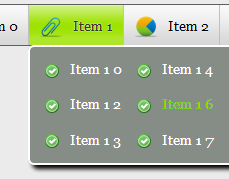
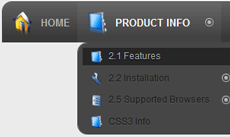
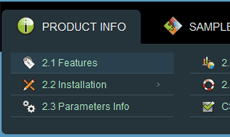
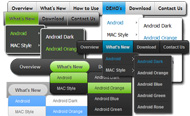
CSS3 is changing how we build websites. Even though many of us are still reluctant to start using CSS3 due to the lack of support in some browsers, there are those out there that are moving forward and doing some amazing stuff with its cool new features. No longer will we have to rely on so much JavaScript and images to create nice looking website elements such as buttons and menu navigations.
You can build a cool rounded navigation menu, with no images and no Javascript, and effectively make use of the new CSS3 properties border-radius and animation. This menu works perfectly well with Firefox, Opera, Chrome and Safari. The dropdown also works on non-CSS3 compitable browsers such as IE7+, but the rounded corners and shadow will not be rendered. CSS3 transitions could one day replace all the fancy jQuery animation tricks people use.
How to use

1) Open Drop Down Menu software and click "Add item"
and "Add submenu"
buttons situated on the Drop Down Menu Toolbar to create your menu. You can also use "Delete item"
to delete some buttons.
2) Use ready to use Templates. To do it just select theme you like in the "Templates" list. Double-click the theme you like to apply it.

3) Adjust appearance of the menu.
3.1. Select item by clicking it and change button appearance for normal and hover states and set buttons link properties and link target attributes on the "Main menu" tab.
3.2. Select submenu's item by clicking it and change submenu's appearance for normal and hover states and set submenu's item link properties and link target attributes on the "Submenu" tab.

4) Save your menu.
4.1. Save your project file. To save project just click "Save"
button on the Toolbar or select "Save" or "Save As
" in the Main menu.
4.2. Publish your menu in the HTML format. To do it click "Publish"
button on the Toolbar.
Free Download
CSS3Menu is free for non-commercial use. If you want to use CSS3Menu on a school site, your non-commercial blog or non-profit organisation website, just download CSS3Menu and use it for free.
A license fee is required for commercial use. CSS3Menu Commercial Edition additionally provides an option to create multicolumn menus and includes extended sets of menu templates and icons. After you complete the payment via the secure form, you will receive a license key instantly by email that turns the CSS3Menu Free Edition into a Commercial one. You can select the most suitable payment method: credit card, bank transfer, check, PayPal etc.
Support
For troubleshooting, feature requests, and general help, contact Customer Support at

. Make sure to include details on your browser, operating system, Drop Down Menu version, link to your page.
freeware css menu generator drop down
Templates
-
Mulicolumn Blue Menu

See live demoDrop Down Menu Relative Position
Mega Menu

See live demoJava Drop Menu Target
Point Aquamarine

See live demoDropdown Menu On Dreamweaver
Screenshot
Features
-

Small size
Immediate loading of the menu. Doesn't use additional files.

No Javascript is required
Works in browsers with disabled Javascript or if a browser has no Javascript support at all.
superfish horizontal menu drop down position left
Contact us
-
For troubleshooting, feature requests and general help contact Customer Support at

. Make sure to include details on your browser, operating system, jQuery Carousel version and a link (or relevant code). change color of dropdown menu wp
Feedback
-
* I have downloaded your CSS3Menu tool and like what I've seen so far. It's so much simpler and cleaner than other attempts, definitely something I would use in my design work. So far I love it
* This looks like EXACTLY what I need for my site. It would make my job much faster! Love your program. Thank you!!
* Thank you for this great product! I have been searching for this for ages. You have made here a really nice, nice & good programm.
Awards
Drop Down Menu Width Blogs
hi leute, ich hab ein problem und zwar hab ich ein normales drop down menü gemacht mit listen leider funktioniert das im internet explorer nic
Morgen zusammen, ich habe folgendes Problem: Ich binde eine swf wie folgt in html ein: Flash CS4 Dropdown Menu script Problem [Flash 10] 27.05.2010 - ikarus1970
hey leute ich möchte gern horizontales drop down menu in meiner website einbauen.Doch alle verschläge die ich bis jetzt im forum oda i-net keine nützli
Click-Dropdown Menu verschiebt Content (Seite 1) im Forum für Mediengestalter auf mediengestalter.info
Top level menu link items style*/ .horizontalcssmenu ul li a{ display: block; width: 120px; /*Width of top level menu link items menu links style */ .horizontalcssmenu ul li ul li a{ width: 125px; /*width of sub menu
SELFHTML Forumsarchiv September 2009: Drop Down Menu verschwindet wieder width: 198px; height: 32px; background-image: url(but.jpg); display:block; padding-top: 8px; ul#menu a:hover { color:#3F0; Leider komme ich nicht auf meinen Fehler. Hat vielleicht wer eine Lösung? Mfg Tributer. Drop Down Menu
Hi ich habe eine kleine Frage und zwar ich will einen Link haben , und wenn man darauf klick soll ein kleines Feld daneben erscheinen Wo man dann z Das dort beschriebene dropdown-menu folgt allerding einem gänzlich anderem Ansatz, wird wahrscheinlich aber auch mit IE5.0 funktionieren
Neues DropDown Menü klappt hinter dem Slider auf in Bastelecke - Page 1 stop().animate({'width':$span.data('width')+'px'},300); Das Superfish hat sich ja darüber gelegt. Vielleicht kann mir da ja einer einen Tipp geben? KitoxX. Neu im Forum. Beiträge: 1
Hallo und erstmal ein freundliches Winken in die ganze Runde ;). Kurze Vorgeschichte: Bin auszubildender Mediengestalter im 1. Lehrjahr, habe lange nicht mehr gecodet (4 Jahre), muss
Das Forum für Apple iWeb Nutzer und all jene, die es werden wollen. li> CSS " Left Menu DropDown Contact
PHP-Fusion Deutschland ist die offizielle Support Seite des kostenlosen OpenSource CMS PHP-Fusion. PHP Fusion ist ein kostenloses Open-Source Content-Management-System
HTMLWorld - Alles zum Thema Internetprogrammierung. Lernen Sie HTML, CSS, JavaScript, DHTML und andere Web-Sprachen richtig einzusetzen und mit Ihnen umzugehen. HTMLWorld ist Anlaufpunkt, Tutorial und Referenz in einem
IE5.5 hack for faulty box model in drop down menu */ .menu ul li a:hover ul li a { background:#ddd; width:96px; /* for IE5.5 faulty box model */ w 5 hack for faulty box model in drop down menu */ .menu ul li a:hover ul li a { background:#ddd; width:96px; /* for IE5.5 faulty box model */ w\idth:
Javascript Drop Down Menu Forum. Hilfenbesucher finden, was sie auf Ihrer Website suchen! Versuchausblick Knöpft Zu! slider mit up und down button
MyBBoard.de ist die offizielle deutsche Webseite zur Forensoftware MyBulletinBoard (MyBB). Neben News, Downloads und einer Dokumentation bieten wir auch deutschsprachigen Support in unserer Foren
Hallo an alle, Im Grafik-Designer. Haben ein paar HTML-Seiten über Tradition, in Scheiben schneiden in grafischen Feuerwerk, dann Export in Dreamweaver. Im CSS lernen für
[Archiv] DropDown Menu nach links öffnen und anderes CSS
nei eben nicht wenn ich ihn richtig verstehe meinte er ein Menu bei dem die richtig verstehe meinte er ein Menu bei dem die Hauptmenupunkte "Home"
Hallo zusammen, ich habe mir gerade das Video Nr. 71 angeschaut und versuche nun auf meiner Seite zusätzlich noch ein Dropdwon-Menü einzubauen. Nun bi
[Archiv] Drop Down Menu HTML/CSS
Hi zusammen, ich stehe gerade total auf dem schlauch. Habe es nun endlich geschaft ein menu zu zaubern das so funktioniert wie ich es will nun wollte ich einfach nochmal eure meinung hören ob das auch so wirklich richtig ist oder ob man das
AnyLink Drop Down Menu- © Dynamic Drive (www.dynamicdrive.com) * This disappeardelay=250 //menu disappear speed onMouseout (in miliseconds)
Vanilla 1.1.2 Forum von Lussumo. Weitere Informationen: Dokumentation, Beim IE6 fährt das Menu nicht mal aus - ich komme nicht auf den Fehler da ich es auf der
Forum : Javascript - Clientprogrammierung : Dropdown menu
Tweet Tweet!
See Also
Css Drop Und Down Menue. jQuery Menu. The most powerful Javascipt Menu/ DHTML Menu system on the Web. JQuery Dropdown Menu Unordered List
Dropdown - Flyout Menu in TYPO3. float the list to make it horizontal and a relative positon so that you can control the dropdown menu positon */ .menu2 li { float:left; width:88px; position:relative;
Removed the fixed width size for personal bookmark toolbar buttons mod. complete drop down marker & go buttons that I originally had mods to remove. Added a new
Click Page Attributes in the Settings drop down menu, select Custom Paper Size (see Figure 1 below) Type the height and width dimensions. Always create these dimensions in a portrait orientation so the
Freizeitler schreibt über Webdesign und das Netz. width: 100px; Viele Grüße, Henry. Homepage Ben sagt: 25. Juni 2009 um 12:21. ahhh super nach sowas hab ich schon ewig gesucht danke! Markus sagt: 11. September 2009 um 16:59. Hallo, in der Tat suche ich jetzt schon lange ein vertikales Dropdown
Css Menu Dropdown. Behalten Sie Ihre Website zu reinigen und hat mit Ausblicken Website-menüs fokussiert! navigationsmenue flash script
HTMLWorld - Alles zum Thema Internetprogrammierung. Lernen Sie HTML, CSS, JavaScript, DHTML und andere Web-Sprachen richtig einzusetzen und mit Ihnen umzugehen. HTMLWorld ist Anlaufpunkt, Tutorial und Referenz in einem
Schlagworte: drop down menu, fixed width, Footer option, free template, Katzenstreu, left 3 column billardtisch blue theme drop down menu Exilead Software firefox fixed width footer bar Footer option free-web-template
Das für mich beste Skript, um dynamische Dropdown-Menüs zu erzeugen, ist das jQuery-Plugin von Joel Birch. Durch zahlreiche Parameter können wir uns das Multi-Level-Menü mit Leichtigkeit in Aussehen und Funktion unseren Anforderungen anpassen
border-width : 0 1px 1px 0; background : #D0A707; padding-right : 10px; line-height : bold; .menu ul ul a.drop, .menu ul ul a.drop:visited { background :
Joomla! - dynamische Portal-Engine und Content-Management-System Drop-Down Width (px) determines the total width of the dropdown, regardless of how many columns are shown
Hallo ich hoffe mir kann einer helfen, ich versuch gerade ein shuhe shop zumachen und will bei allen artikel ein dropdown menu haben beispiel Size:
Deluxe Menue Tutorial Dhtml. Behalten Sie Ihre Website schnell und gut strukturiert mit Javascript rollover Knöpfen Verbindungen! java dropdown menu by Deluxe-Menu.com. Gute Navigation ist ein wichtiger Schritt zum Erfolg der Website. Wenn Leute können sich
BRENDA FOURNIER-DON CHAPMAN "Help,Help,I'm sinking in quicksand" Improv Comedy hl=de&fs=true" style="width:400px;height:326px" allowFullScreen="true"
Dieses Tutorial ist eine Anleitung zum erstellen eines Dropdown Menü in Typo3 (TemplaVoila) mit sehr geringem Typoscript-Aufwand
Multi-Column Menu, DHTML Menu, JavaScript DHTML Menu, easy yet powerful, create professional DHTML Drop Down Menu in minutes, without writing a single line of JavaScript code
SELFHTML Forumsarchiv September 2009: Drop Down Menu verschwindet wieder
Ein barrierefreies Typo3 Dropdown Menü erstellen mit TypoScript, JavaScript und CSS min-width:180px; /* IE-Hack für die Breite */ *html ul.menu ul { width:180px; /* Dies sind die Klassenstile für das Untermenü wenn sich die Maus */ /* über der Liste befindet (.hover siehe JavaScript oben)
Für die Umsetzung habe ich die Suckerfish CSS Dropdown Menus als Grundlage benutzt und entsprechend angepasst. Dieses menu.css basiert auf dem Suckerfish Dropdown Menu CSS und ist um einige visuelle Anpassungen erweitert (Ausmaße, Farben, Bilder usw
Unter Dropdown-Menus versteht man Menus, die sich durch Userinteraktion erweitern. Die fehlende Implementierung von Keyboardsteuerung für Dropdown-Menus ist typisch, da für den Laien nicht ohne weiteres machbar
Dropdown-Menue Dropdown-Menu " machinename"*$result1= mssql_query($Qry_combo); echo '
Hallo leute, ich bin neu im Forum und muss zugeben ich habe die suche jetzt mal nicht benutzt SORRY dafür bin 35j komme ausm Hohen Norden 10km von d
You can type in a name for the image or choose Name & ID from the drop-down menu beside the Name/ID field. In the drop-down menu that appears, choose Image > Set Image URL. For
Du kannst mit background-repeat erzwingen, dass die Hintergrundgrafik des Menus nicht wiederholt wird: hack for faulty box model in drop down menu */ .menu ul li a:hover ul li a { background:#ddd; width:96px; /* for IE5.5 faulty box
Neues DropDown Menü klappt hinter dem Slider auf in Bastelecke - Page 1 var $span = $this.children('span'); $span.data('width',$span.width()); $this.bind('mouseenter',function(){ $menu.find('.ldd_submenu').stop(true,true).hide(); $span.stop().animate({'width':'510px'},300,function
Overview
How to Use
Demos
Android
Android Dark
Android Orange
Android Blue
Android Green
Android Rose
Mac Style
Mac Grey
Mac Dark Green
Apple
Apple Black
Apple Blue
Blocks Style
Elegant Style
Fresh Style
Neon Style
Frame Style
Download


PRODUCT INFO
2.1 Features
2.2 Installation
2.3 Parameters Info
2.4 Dynamic Functions
2.5 Supported Browsers
CSS3 Info
SAMPLES
Android Template
Blocks Template
Elegant Template
Frame Template
Fresh Template
Mac Template
Neon Template
New Templates
DOWNLOAD