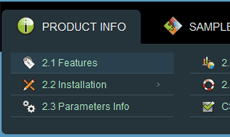
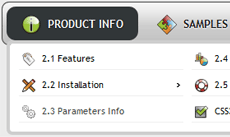
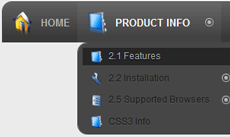
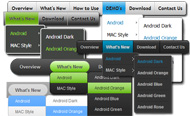
Drop Down Menu Sample
Overview
CSS3 is changing how we build websites. Even though many of us are still reluctant to start using CSS3 due to the lack of support in some browsers, there are those out there that are moving forward and doing some amazing stuff with its cool new features. No longer will we have to rely on so much JavaScript and images to create nice looking website elements such as buttons and menu navigations.
You can build a cool rounded navigation menu, with no images and no Javascript, and effectively make use of the new CSS3 properties border-radius and animation. This menu works perfectly well with Firefox, Opera, Chrome and Safari. The dropdown also works on non-CSS3 compitable browsers such as IE7+, but the rounded corners and shadow will not be rendered. CSS3 transitions could one day replace all the fancy jQuery animation tricks people use.
How to use

1) Open Drop Down Menu software and click "Add item"
and "Add submenu"
buttons situated on the Drop Down Menu Toolbar to create your menu. You can also use "Delete item"
to delete some buttons.
2) Use ready to use Templates. To do it just select theme you like in the "Templates" list. Double-click the theme you like to apply it.

3) Adjust appearance of the menu.
3.1. Select item by clicking it and change button appearance for normal and hover states and set buttons link properties and link target attributes on the "Main menu" tab.
3.2. Select submenu's item by clicking it and change submenu's appearance for normal and hover states and set submenu's item link properties and link target attributes on the "Submenu" tab.

4) Save your menu.
4.1. Save your project file. To save project just click "Save"
button on the Toolbar or select "Save" or "Save As
" in the Main menu.
4.2. Publish your menu in the HTML format. To do it click "Publish"
button on the Toolbar.
Free Download
CSS3Menu is free for non-commercial use. If you want to use CSS3Menu on a school site, your non-commercial blog or non-profit organisation website, just download CSS3Menu and use it for free.
A license fee is required for commercial use. CSS3Menu Commercial Edition additionally provides an option to create multicolumn menus and includes extended sets of menu templates and icons. After you complete the payment via the secure form, you will receive a license key instantly by email that turns the CSS3Menu Free Edition into a Commercial one. You can select the most suitable payment method: credit card, bank transfer, check, PayPal etc.
Support
For troubleshooting, feature requests, and general help, contact Customer Support at

. Make sure to include details on your browser, operating system, Drop Down Menu version, link to your page.
dropdown menu for iphone webpage
Templates
-
Mulicolumn Blue Menu

See live demoJquery Accordion Contenido
Modern Dark

See live demoDropdown Plugin Veyton
Elegant Dark

See live demoDrop Down Menu In Html Example
Screenshot
Features
-

No Javascript is required
Works in browsers with disabled Javascript or if a browser has no Javascript support at all.

No Javascript is required
Works in browsers with disabled Javascript or if a browser has no Javascript support at all.
change ubuntu dropdownmenu
Contact us
-
For troubleshooting, feature requests and general help contact Customer Support at

. Make sure to include details on your browser, operating system, jQuery Carousel version and a link (or relevant code). dreamweaver cs4 and rounded drop down menu
Feedback
-
* I first must say that after a few days of lost time trying to figure out some other ways to do this stuff, landing on your website to find and use your great little utility for css3 menus was just wonderful! You have made a complicated task look quite easy... lots of work behind your took I'm sure.
* I just tried the application, It is wonderful idea. Like you said in the website "few clicks without writing a single line of code" because most of the people is not web designers".
* Your ROCK! Your totaly great, I downloaded the css Generator and made only a test with it. GREAT !!!
Awards
Color Drop Down Menu Blogs
Forum Home / Javascript-Forum / Verschiebe DropDownMenue. Beitrag schreiben. Autor. Beitrag Wie verschiebe ich das Dropdown Menue weiter in die Mitte und weiter
Neues DropDown Menü klappt hinter dem Slider auf in Bastelecke - Page 1 Suche im Forum. Suche im Wiki. Start " Forum " Allgemeines " Bastelecke " Neues DropDown Menü klappt hinter dem Slider auf. Neuigkeiten. xtcModified ist kostenlos, ein wenig finanzielle Unterstützung ist aber gern gesehen. Drucken
[Archiv] Drop Down Menu HTML/CSS
ich habe ein Dropdown Menu ertsellt welches ich auf unserer HP einbauen wollte. ich habe ein Dropdown Menu ertsellt welches ich auf unserer HP einbauen wollte. Leider erscheint das Menu aber ,egal wie ich es
Drop Down menue Programmierung (Seite 1) im Forum für Mediengestalter auf mediengestalter.info
HTMLWorld - Alles zum Thema Internetprogrammierung. Lernen Sie HTML, CSS, JavaScript, DHTML und andere Web-Sprachen richtig einzusetzen und mit Ihnen umzugehen. HTMLWorld ist Anlaufpunkt, Tutorial und Referenz in einem
WinTotal Forum - Das Supportforum zum Windows Portal WinTotal.de Drop down " Antwort #2 am: 09.12.08 um 10:16:45 " danke hab schon! Öffnet den Link im neuen Fenster! Code:
hey leute ich möchte gern horizontales drop down menu in meiner website einbauen.Doch alle verschläge die ich bis jetzt im forum oda i-net keine nützli
Forum " CSS-Praxis " Wünsche. CSS - Von popdown zu popup. Autor. Nachricht. Verfasst am: 25. pop-down menu für meine homepage - ich möchte allerdings das zu ein "pop-up" menu machen,
SELFHTML Forumsarchiv September 2009: Drop Down Menu verschwindet wieder { color:#3F0; Leider komme ich nicht auf meinen Fehler. Hat vielleicht wer eine Lösung? Mfg Tributer. Drop Down Menu verschwindet wieder. Die folgende Nachricht zum Thema stammt von: ChrisB, 01. 09. 2009, 18:17. Hi,
MyBBoard.de ist die offizielle deutsche Webseite zur Forensoftware MyBulletinBoard (MyBB). Neben News, Downloads und einer Dokumentation bieten wir auch deutschsprachigen Support in unserer Foren
Homepage :: CSS :: css hyperlinks button mit dropdown Forum. Antw. Autor. Verfasst am 'gefällt mir' Button. Hilfe für Webmaster. 2. yellow. 20 Dez 2010 18:38. html code für button. CSS. 0. MARFRA. 10 Apr 2010 17:58. html code für button (X)HTML. 1. MARFRA. 10 Apr 2010 17:52. DHTML-Dropdown Menu
Hallo, ich habe auf Basis vom YAML ein Joomla-Template erstellt. Leider bietet YAML aber kein Dropdownmenü. Gibt es ein gute Lösung für Joomla Version 1.6? Interessant fand ich das
Hallo liebe Deskmodder, viele von Euch haben sicherlich einmal darüber nachgedacht, wie sie einen eigenen unverwechselbaren Style für Wind "Copy" down to "None" Man kann die Grafiken und Werte für TextColor : Color (für die verschiedenen Zustände von Drag and Drop, diese Bereiche
and IE6 */ /* style the top level hover */ .menu ul li:hover a, .menu ul li a:hover { color:#000; border-bottom:1px solid #606; } /* make the drop down menu show and correctly position it */ .menu ul li:hover ul, .menu ul li a:hover ul { display:
Typoscript für dropdown: TYPOSCRIPT. page.10.subparts.menu-down = HMENU page.10.subparts.menu-down { ### Erste Ebene ### 1 = TMENU dropdown: CSS. body { font-family: Arial,Verdana,sans-serif,SunSans-Regular, "Sans Serif"; font-size: 12px; background-color:
[Archiv] DropDown Menu nach links öffnen und anderes CSS
Hallo und erstmal ein freundliches Winken in die ganze Runde ;). Kurze Vorgeschichte: Bin auszubildender Mediengestalter im 1. Lehrjahr, habe lange nicht mehr gecodet (4 Jahre), muss
Hallo Leute, ich bin neu hier und mit css habe ich auch noch nicht so viel zu tun gehabt. Deswegen habe ich gleich mal eine Frage. Ich habe folgende
PHP-Fusion Deutschland ist die offizielle Support Seite des kostenlosen OpenSource CMS PHP-Fusion. PHP Fusion ist ein kostenloses Open-Source Content-Management-System
Hallo an alle, Im Grafik-Designer. Haben ein paar HTML-Seiten über Tradition, in Scheiben schneiden in grafischen Feuerwerk, dann Export in Dreamweaver. Im CSS lernen für
Die Positionierung des Dropdown ist absolut, d.h. wenn du etwas an der Größe vom Menü Die Positionierung des Dropdown ist absolut, d.h. wenn du etwas an der Größe vom Menü
MODx Evolution (Versionen 0.9x -> 1.x) allgemein: Dropdown Menu Wayfinder. Ende der Seite. 1 bis 1 von { color:#332114; Beim IE6 fährt das Menu nicht mal aus - ich komme nicht auf den Fehler da
Tweet Tweet!
See Also
So wird eine Navigation über mehrere Ebenen in TYPO3 realisiert
Drop Down Menu row["Name"], "COLOR" => "#ececec");} jetzt kannst du mit [doc]usort[/doc] das array $temp sortieren lassen (lies dazu mal die anmerkungen in der doku) - ich weiss zwar nicht anhand welchen kriteriums du nun sortieren willst, aber das lässt sich mit der funktion sehr elegant
Dateien Download, Dateien, Dateien free download, download Dateien for free software download in the downv.com Easy Drop Down Menu. Chameleon menu Flash SWF Object. 3DRotationMenu. Jumpeye Color Picker Pro. LiveSwif Lite. Flash App. Top Freeware
SELFHTML Forumsarchiv September 2009: Drop Down Menu verschwindet wieder Die folgende Nachricht zum Thema stammt von: Tributer, 01. 09. 2009, 17:50. Hallo zusammen, ich habe auf dieser Seitehttp://tributer.spacequadrat.de/ ein Drop-Down Menu erstellt. ( Bzw
A Print in Grayscale check-box has been added in the Color options menu, this replaces the previous which was in the drop down menu. The drop-down menu item Native has been renamed Application Managed colors (Native)
Learn how to use Toon Boom palettes and effective color management. Select "New Palette" from the dropdown menu in the Color tab. Wählen Sie "Neue Palette" aus dem Dropdown-Menü in der Registerkarte "Farbe". You'll notice that Toon Boom populates the first color for you, with the ever-so-helpful
In diesem Tutorial möchte ich euch zeigen, wie ihr mit einfachen Mitteln ein gutes Menü hinbekommt, welches durch Hover-Effekte und Dropdowns glänzt
Das Leben der Computer und das Internet, und noch weitere Sachen kann man hier lesen. Vieleicht sogar was lernen
AllWebMenus Pro 5.2.808 Full Screenshot - AllWebMenus Pro bietet Ihnen ein hilfreiches Werkzeug, das Sie für jede Art von Pop-up oder Drop-down-Menü für Ihre Web-Navigation zu erstellen, muss ermöglicht, - AllWebMenus Pro offers you a helpful
Informationen über Zope 2 und Zope 3, Jobbörse für Zope- und Python-Entwickler, Übersicht über Zope-Dienstleister in Deutschland, Österreich und der previe wtool, berlin, bremen, bücher, CMS, color, desktops, drop down menu, email addresses, fckeditor plone install, formular,
Drop Down menue Programmierung (Seite 1) im Forum für Mediengestalter auf mediengestalter.info
Ziel ist es ein horizontales Dropdown Menü mit dem Opensource Contentmanagementsystem Dieses menu.css basiert auf dem Suckerfish Dropdown Menu CSS und ist um einige visuelle
Dropdown - Flyout Menu in TYPO3
Webmaster Tools: Color & Font Picker, CSS Validator, CSS Generator, Drop Down Menu Maker, HTML Validator, Keyword Density Analyzer, Popup Maker, Javascript Mouseover Maker, Link Checker, Link Popularity Comparison Tool, Meta Tag Creator, Meta Tag
Tab Menu, DHTML Tab Menu, Horizontal Menu, easy yet powerful, create professional DHTML Drop Down Menu in minutes, without writing a single line of JavaScript code
Dieses Tutorial ist eine Anleitung zum erstellen eines Dropdown Menü in Typo3 (TemplaVoila) mit sehr geringem Typoscript-Aufwand
Nightfire Webworker Archiv - JavaScript - DropDown Menu II color: #8080FF; text decoration: none; Zur Funktionsweise: Mittels Eventhandler onmousedown wird die Funktion doMenu ausgeführt
Hallo Community, Ich möchte den Script benutzen um die Menüs untereinander zu setzen, jeweils aber als einer Mouseover wie Buttons. Das Problem ist
Dropdown Menue Html. Verbessern Sie Ihre Website-verwendbarkeit mit Ausblickenknöpfen! wordpress horizontal menu graphic
webmaster programme html codes für die eigene homepage wie counter, besucherzähler, Voting und cronjobs Tools
Entwicklung und Fertigung von Farbspritzapparaten, Airbrush Apparaten für Hobby- und Profi-Airbrusher. DHTML Drop Down Menu Powered by dhtml-menu-builder.com. Fineart. Further informations: Pro-color Farbkoffer
Das für mich beste Skript, um dynamische Dropdown-Menüs zu erzeugen, ist das jQuery-Plugin von Joel Birch. Durch zahlreiche Parameter können wir uns das Multi-Level-Menü mit Leichtigkeit in Aussehen und Funktion unseren Anforderungen anpassen
Drop Down Menu Set: Navigation Bars bar blue design down drop graphic grey group html icon idea illustration interface internet isolated label layout menu metal modern multi multiple navigation orange set silver simple site structure template theme web webpage
After you select a new color at a node, the colors between nodes are reinterpolated. of the GUI Tools menu. The Plotting Tools Property Editor has a dropdown menu that also lets you select
Overview
How to Use
Demos
Android
Android Dark
Android Orange
Android Blue
Android Green
Android Rose
Mac Style
Mac Grey
Mac Dark Green
Apple
Apple Black
Apple Blue
Blocks Style
Elegant Style
Fresh Style
Neon Style
Frame Style
Download


PRODUCT INFO
2.1 Features
2.2 Installation
2.3 Parameters Info
2.4 Dynamic Functions
2.5 Supported Browsers
CSS3 Info
SAMPLES
Android Template
Blocks Template
DOWNLOAD